IDT Ordering Procedures
You must Submit a Request with Receiving Services to receive an ORD number before you can place your IDT Order.
- Click "Submit a Request"
- Select "Work Order System" from the drop-down menu
- Choose "Receiving Services Request"
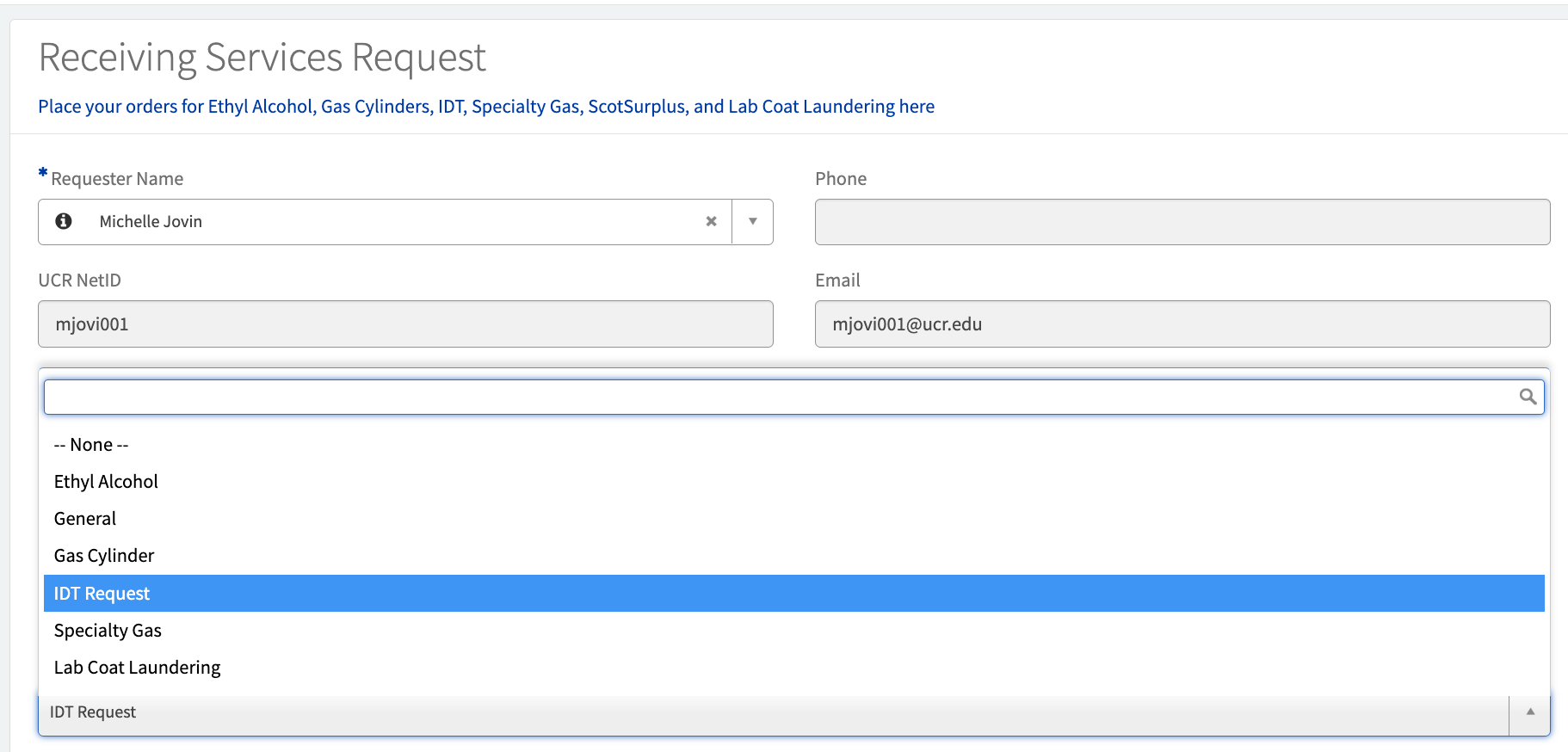
- Under Services/Materials, select "IDT Request"
- Add your desired items in the Short Description section
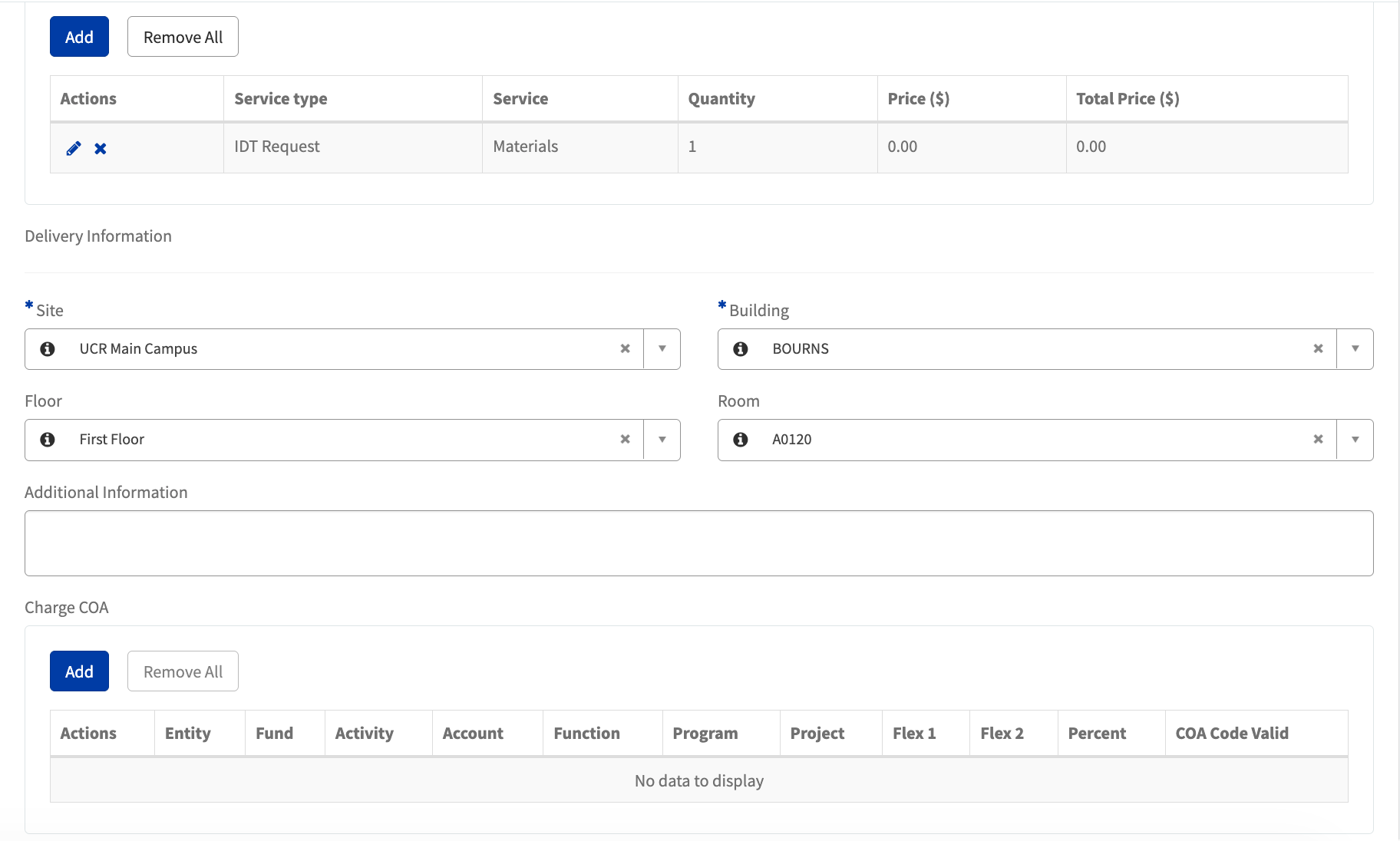
- Under Order information, add "Materials" & Quantity: 1
- Enter Delivery and COA information.
Click "Submit"
-
If you have not already, create an IDT Account (with UCR pricing built in).
-
After your IDT request is approved, you will receive an ORD Number to place your IDT order.
You cannot proceed to this step without an ORD Number. See step 3.
When ordering, use the last six digits of the ORD Number as the IDT PO#/Storehouse number.